Sr. Transportation Safety Expert — J. J. Keller & Associates, Inc.
Top 5 Unassigned-Driving-Time Mistakes Fleets Still Make
Every fleet has unassigned driving time. How you handle it is critical for ELD compliance and FMCSA compliance.
Published On: 11/03/2026

Written by:
Daren Hansen
"Unassigned driving" events occur any time a vehicle with an electronic logging device (ELD) is moved without a driver logged into the device. Without exception, every fleet will have them.
Some are honest mistakes, some are system hiccups, and some are drivers trying to hide time. The problem isn't that unassigned time exists; the problem is what carriers do (or don't do) about it.
Because unassigned driving events can be linked to hours-of-service (HOS) violations, log falsification, and FMCSA audit findings, they deserve immediate attention. Here are five mistakes that turn a manageable task into a compliance risk and potential violation.
What Is Unassigned Driving Time?
Unassigned driving time occurs when an ELD-equipped vehicle is moved without an identified driver logged into the electronic logging device. Under FMCSA ELD regulations, motor carriers must review, assign, or annotate these records and retain them as part of their compliance documentation.
Mistake 1: Letting It Pile Up
Unassigned time doesn't go away on its own. It accumulates, and the longer you wait, the more events drivers create and the harder each one is to trace. If you're audited, the investigator will pay special attention to the "Unidentified Driver" account, which collects all unassigned driving time. If you haven't dealt with the events, the investigator will try to figure out who they belong to and may determine that drivers were falsifying their records.
The fix: Assign someone to review unassigned driving time on a daily basis. Ignoring it, hiding it elsewhere in the system, or deleting it is not an option. Regular reviews are a critical part of ELD compliance and fleet compliance management.
Mistake 2: Reaching for the Comment Box First
Under 49 CFR 395.32(c), a motor carrier must either assign the unidentified driving record to the appropriate driver or annotate it, explaining why the time is unassigned. Those are the only options.
Annotating is allowed, but it should be treated as the last resort, not the first choice. A comment that says "unknown" without a real investigation won't help during a compliance review and doesn't protect your company from potential enforcement actions.
The fix: Use a standard process so nothing is missed.
- Collect: Make a good-faith effort to gather the data needed to figure out who drove the vehicle without logging in. This may include ELD records for everyone who did log into the vehicle that day, dispatch and payroll records, maintenance and repair records, supporting documents (shipment paperwork, expense reimbursements, electronic communications), and position data. You may also want to interview any drivers who could have driven the vehicle.
- Analyze: Review the data and identify the most likely scenario. For example, if one driver drove the vehicle before and after the unassigned time and nothing indicates anyone else could have, you've likely solved it.
- Take action: If you identified the driver, assign the time to the driver and counsel or discipline the driver as appropriate. If you determined that a driver without an ELD account moved the vehicle, consider whether that individual should have an ELD account. As a last resort, add a comment explaining why the time couldn't be assigned.
Mistake 3: Not Giving Everyone Who Moves a Vehicle a Login
Mechanics, technicians, hostlers, and yard drivers move vehicles too. If they don't have their own ELD accounts, all their movements will show up as unassigned driving time. If you have many such drivers, it may be very difficult to determine who was driving and when. Having a shared account (such as an account named "yard jockeys" or "maintenance") is not allowed.
The fix: Provide login credentials to any employee who might move a vehicle, and have them use those credentials any time they move an ELD-equipped vehicle, no matter the distance. If you're not willing to do this, unassigned driving time will be unavoidable.
Mistake 4: Assuming It's All Innocent (or All Falsification)
Not all unassigned time comes from drivers trying to falsify, of course. It can be an honest mistake, a driver who didn't realize they needed to log in, a driver who legitimately has no ELD account, or a technical glitch that prevented login.
However, unassigned driving records are also commonly associated with hours-of-service violations and log falsification, which is why FMCSA regulations require carriers to investigate them.
Common falsification methods include:
- Logging out and continuing to drive when a limit is reached,
- Logging in late to "create" a full 10-hour break (8 hours for passenger carriers) that didn't exist, or
- Logging in late to "save" hours for later in the day.
Each of these creates a false log, in addition to unassigned time. The only way to tell the difference between an error and falsification is to investigate every time.
The fix: During your investigation, if adding the unassigned time to the likely driver's log would put that driver over hours, start treating it as falsification. Handle it as you would any other false log or document. If you aren't investigating unassigned driving time every time it happens, you may be missing a lot of false logs.
Mistake 5: Skipping Follow-Up and Training
Drivers must review unassigned driving time when the ELD prompts them at login, and either assume it under their account or indicate it isn't theirs. When that doesn't happen, or when the same errors keep recurring, it may be a training gap.
The fix: Whenever an unassigned event reaches the back office, talk directly to the driver involved. Train drivers to:
- Log in before moving the vehicle, and not log out until completely done driving it;
- Accept any unassigned driving time that belongs to them, when it's presented;
- Pay attention to any warnings the device issues;
- Use the "personal use" category instead of logging out when using the vehicle for personal conveyance; and
- Use the "yard move" category only when driving in a restricted-access yard.
Special driving categories (personal use and yard move) help drivers avoid unnecessary logouts, but audit their use to confirm they're not being used to falsify. When carriers address unassigned events consistently, drivers become more disciplined and the number of events trends downward.
Additional FMCSA Compliance Considerations
- Retention: Motor carriers must keep unidentified driving records for at least 6 months from the date of receipt, and make them available during a safety inspection, audit, or investigation.
- Roadside inspections: The Unidentified Driver profile must be available as a separate report alongside the inspected driver's own. If no unidentified records exist for the current 24-hour period or the previous 7 consecutive days, it doesn't need to be printed or displayed.
- Rejected events: They must remain available for roadside review for 8 days and be included in the output file.
- No editing driving time to non-driving: ELD driving time can't be changed to non-driving, although unassigned time can be assigned as personal conveyance or yard move.
- Mistakes happen: If a driver erroneously accepts unassigned time that does not belong to them, the driver may edit the record to correct it (or the carrier may request the edit). The ELD will prompt the driver or carrier to annotate the edit.
The Bottom Line
Unassigned driving time requires consistent attention. It can signal driver errors, training gaps, technical issues, or log falsification, and none should be ignored.
To maintain ELD compliance, FMCSA compliance, and hours-of-service compliance, motor carriers should review unassigned driving events daily, investigate each occurrence, and follow up with drivers when needed.
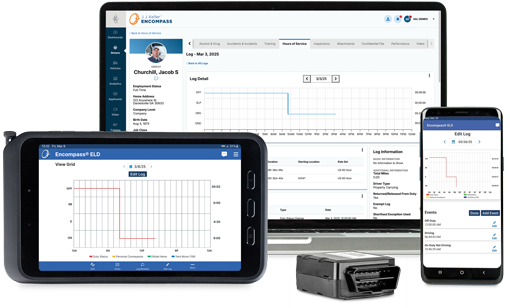
Some ELD solutions, including J. J. Keller® Encompass® ELDs, provide tools that simplify finding, reviewing, and resolving unassigned driving records. If your ELD provider makes unassigned events difficult to identify or manage, your fleet could be taking on unnecessary compliance risk.
Try J. J. Keller's Quick Comply Program
Are you looking to change your ELD provider? We make it easy with our Quick Comply program. Plus, get a 60-day trial of the Encompass Fleet Management Platform.
You may also enjoy the following articles:
Sign up for our newsletter!
We'll help you stay on top of regulations, best practices, and fleet industry news. Sign up to receive a monthly email notification with links to our most recent blog articles, free resources, and event invites.