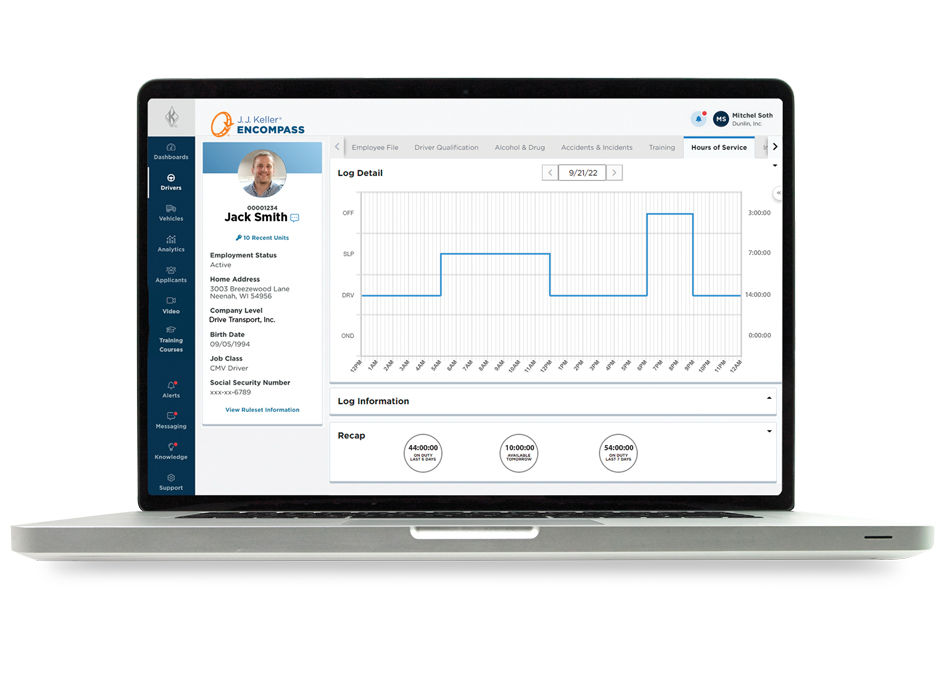
Every aspect of the Encompass® Fleet Safety & Compliance Platform complies with DOT hours-of-service (HOS) regulations. It allows you to track your drivers’ hours no matter how they log.

Encompass provides:
Auditing your logs is critical to reduce risk and prevent accidents, no matter how your drivers record their hours or what rulesets or exemptions they use. You can count on the J. J. Keller patented log auditing process used in Encompass and the Encompass® ELD mobile application. These solutions audit your drivers’ hours against Parts 395 and 396, helping you quickly identify falsification, violations, and missing logs through in-depth reporting and dashboard alerts and notifications.
Encompass offers exceptional value through hours-of-service solutions that include compliance with every aspect of FMCSA driver and vehicle requirements, including driver qualification, DVIRs, vehicle maintenance, alcohol and drug testing, and more.
"Encompass has helped me with the logistical challenge of getting drivers to their routes and knowing they will have enough hours left. When my driver updates his hours, I can quickly pull up the map in Encompass to see where he's at and where he needs to go next. It's been a good tool for problem solving when changes to routes are made throughout the day."
Bob Passow
Logistics/Pack House Manager
"With Encompass, I no longer have to manually go through driver logs to see who has a violation, and our drivers are better able to maintain their own logs."
Danielle Bodway
Fleet Compliance Manager
"Our drivers have the Encompass ELD app installed on their tablets and smartphones. They like how the system works. They just log in and go."
Darrell Theurer
Assistant Transportation Manager
"What I like about Encompass is that I'm able to login and keep it up on my computer throughout the day, so I can monitor the ELD while the driver is on the road or when it's in off-duty hours. I always know when the driving records are updated. It's very self-explanatory and easy to monitor."
Woody Cummins
Fleet Manager
"Without a doubt, Encompass has helped me save time. The ELD takes all the guess work out of when I started my trip and when I stopped."
John D. Rentz Jr.
Owner/Operator
- 1
- 2
- 3
- 4
- 5
Hours-of-Service Reporting
Encompass uses a patented hours-of-service auditing process to audit electronic and paper driver logs against Parts 395 and 396, plus applicable state and industry rulesets.
Hours-of-service alerts and reporting help you quickly identify missing logs and potential violations, including unassigned drive time, ELD malfunctions, driver edits, personal conveyance, and yard moves, so you can address issues sooner.
Hours-of-Service Rulesets
Rulesets for drivers are easily assigned and managed within the Encompass® Platform. The Encompass® ELD mobile app includes more than 30 hours-of-service (HOS) rule sets to help you maximize productivity and prevent hours-of-service errors and violations. Based on the ruleset a driver uses, the app will alert them when they approach a regulatory threshold, allowing them to take action to prevent the violation.
The J. J. Keller® ELD is third-party certified for Canadian ELD mandate compliance by an accredited body recognized by the Canadian Minister of Transport (iPhone® and iPad®).
Exempt Driving
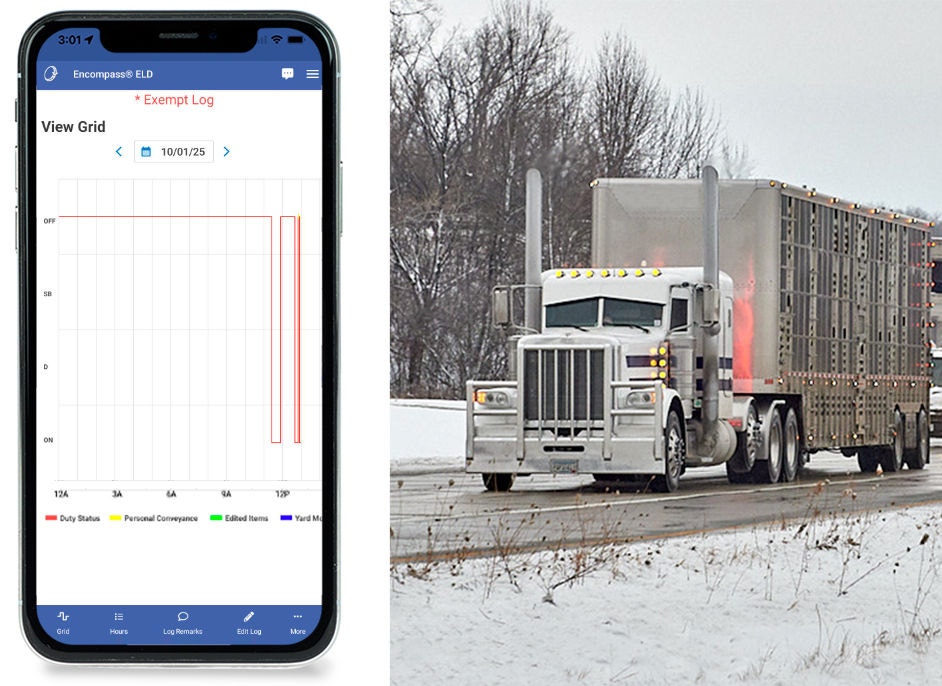
Encompass helps fleets manage DOT compliance across driver types, hours-of-service exceptions, exemptions and rulesets, including short haul and 100-air mile radius operations. Drivers using exempt rules can easily switch to grid logs when needed in the Encompass® ELD mobile app.
For exempt and non-regulated fleets, Encompass provides visibility into vehicle location, routes, weather and traffic to help improve fleet operations and customer service. Solutions include the J. J. Keller® ELD, J. J. Keller® Road & Driver Cam, Encompass® Vehicle Tracking, and Encompass® DVIRs with time tracking.
Unassigned Events
Every fleet will have unassigned driving events that need to be resolved to remain compliant. To assist customers with the challenges of managing unassigned drive time, we developed Encompass SmartAssign Technology. Our proprietary algorithm reduces the potential for HOS violations by keeping driver’s hours more current and accurate. The result is reduced turnaround time and improved compliance. Encompass customers have seen a 40% reduction in the number of unidentified driving events they have to manually review.
FAQs
Auditing electronic logs is different than auditing paper logs. It requires your log auditors to have a different skill set and operate under a new set of policies. Having an auditor verify violations and discuss the valid ones with the drivers is what prevents future violations from occurring. If drivers believe no one is auditing the logs or that there are no consequences for violating the rules, they will have no reason to comply.
While some of the audits below are automated with ELDs, carriers should be performing these 7 ELog audits to help keep hours-of-service violations to a minimum:
- Form and Manner
- Over-Hours Violations
- Unassigned Driving Time
- Edits
- Misuse of the Special Driving Categories
- ELD Malfunctions
- Minimal On-Duty Time
Encompass® with ELogs supports:
- Alaska 7 Day & Alaska 8 Day
- California Intrastate Passenger Carrying
- California Intrastate Property Carrying
- Exempt Logs 150-air mile CDL exception
- Exempt Logs 150-air mile Non-CDL exception
- Florida 7 Day & Florida 8 Day
- Texas
- TX Oil Field
- The US 60 Hour
- US 60 Construction
- US 70 Hour
- US 70 Construction
- US 60 Motion Picture
- US 70 Motion Picture
- Wisconsin 7 (NOV2006) & Wisconsin 8 (NOV2006)
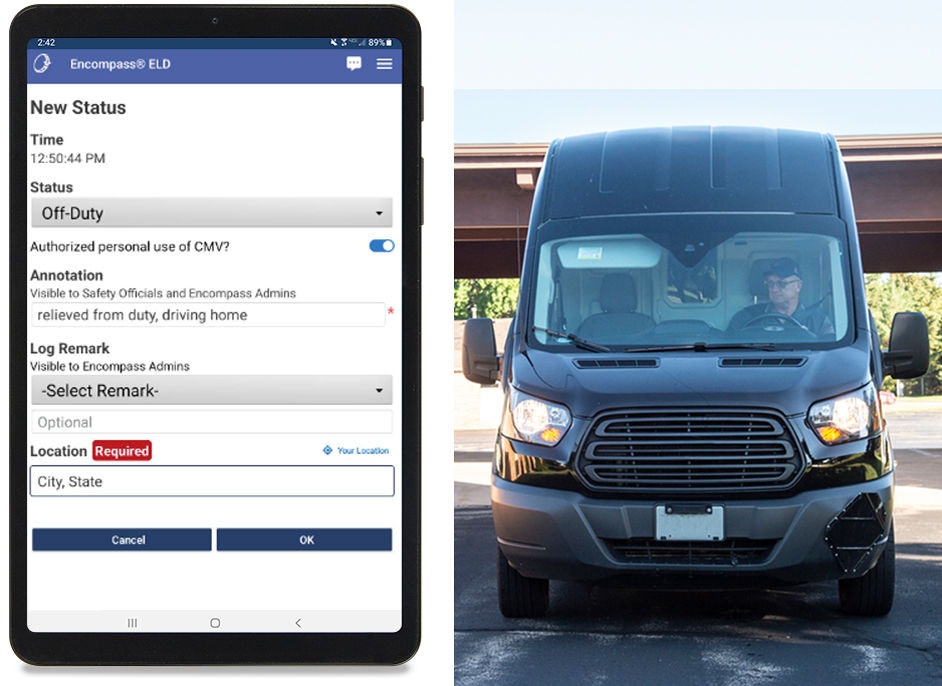
The Encompass® ELD App also provides for common and unique driving situations, including team driving (separate and shared mobile devices), personal conveyance, border crossing, hyrail, yard moves, and more.
Encompass with manual entry of hours of service supports:
- Alaska 7 Day & Alaska 8 Day
- Arizona Public Service
- California
- California Ag
- California Intrastate Bus
- Florida 7 (Oct 2006) & Florida 8 (Oct 2006)
- Iowa Construction 7 & Iowa Construction 8
- Michigan
- Nebraska 7 Day & Nebraska 8 Day
- North Carolina 7 Day & North Carolina 8 Day
- Oklahoma 7 Day & Oklahoma 8 Day
- Oregon 7 Day & Oregon 8 Day
- Oregon 7 (APR 2007) & Oregon 8 (APR 2007)
- South Carolina 7 Day & South Carolina 8 Day
- US 60 Construction & US 70 Construction
- US 60 Utility & US 70 Utility
- Wisconsin 7 Day & Wisconsin 8 Day
Even if a driver is subject to the hours-of-service rules, the driver may be exempt from needing a standard log to record their work hours. Common exceptions include:
150 air-mile CDL driver exception - Section 395.1(e)(1): The most commonly used and widely known — and frequently misunderstood — short-haul exception available to property-carrying CDL vehicles and passenger-carrying vehicle drivers. The 150-air-mile provision exempts drivers from standard grid logs (395.8), supporting document requirements (395.11), and the 30-minute break from eight total hours of driving (395.3(a)(3)(ii)). Drivers must return to their start location each day, be off-duty within 14 consecutive hours, and remain within 150 air miles of the start location.
150 air-mile non-CDL driver exception - Section 395.1(e)(2): This is another short-haul exception available only to property-carrying drivers who are not required to have a commercial driver's license (CDL) for the vehicle. This 150-air-mile provision exempts non-CDL vehicle drivers from standard grid logs (395.8), supporting document requirements (395.11), the 30-minute break from eight total hours of driving (395.3(a)(3)(ii)), and the 14-hour limit (395.3(a)(2)) twice in 7-consecutive days. Two days in any 7-consecutive day period, the driver may drive up to 11 hours in a 16-consecutive hour window from the start of on-duty time without having to create a grid log. The remaining 5 days, they are subject to the 14-hour limit.
100 air-mile driver-salesperson exception - Section 395.1(c) & (e)(1): Drivers classified as driver salespersons (definition in 395.2) who are employed to deliver/sell goods, spend less than half their time driving a property-carrying vehicle, and who stay within a 100 air-mile radius are exempt from standard grid logs (395.8), the 30-minute break from eight total hours of driving (395.3(a)(3)(ii)), and the need to return to the work-reporting location at the end of the day. Driver salespersons who stay within 100 air-miles of their work-reporting location and drive no more than 40 hours or 50 percent of their on-duty time in 7 consecutive days are also exempt from the weekly 60- or 70-hour on-duty limit (395.3(b)).
75 air-mile construction exception - Section 395.1(m): Drivers who primarily transport construction materials and equipment in any period of 7 or 8 consecutive days within a 75 air-mile radius of their normal work-reporting location are allowed to reset their weekly 60- or 70-hour on-duty limit (395.3(b)) by taking just 24 hours off duty, rather than 34 hours (395.3(c)). These drivers may also take advantage of the 150 air-mile exceptions noted above, as long as they comply with the terms of the exception.
Unassigned driving events occur any time a vehicle equipped with an electronic logging device (ELD) is moved without a driver being logged into, or associated with, the device and vehicle. Without exception, every fleet will have unassigned driving events that need to be resolved to remain compliant. The key is knowing how to find and correct them in your ELD system.
According to section 395.32 of the Federal Motor Carrier Safety Administration (FMCSA) regulations:
- Drivers must be presented with, and either accept or deny, any unassigned driving events before they start driving for the day. If denied, the carrier’s back office must investigate and choose to:
- Assign the time to the correct driver
- Attach a comment explaining why the time couldn't be assigned to a driver.
Ignoring unassigned time, hiding it elsewhere in the system, or deleting it is not an option.
Build Your Compliance Knowledge
Expand your safety library with free J. J. Keller resources. Over 200 years of collective experience and education — that's the J. J. Keller difference.
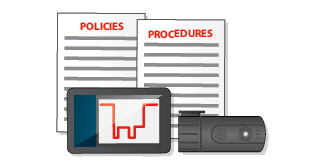
Policies & Procedures for ELDs and Dash Cameras
In this whitepaper, we concentrate on how carriers can develop policies and procedures related to ELDs and dash cameras.
Hours of Service Compliance CSA BASIC eWorkbook
The FMCSA makes a direct correlation between fatigue, the hours-of-service rules, and crash rates. Assess your fleet’s hours-of-service compliance with this free workbook.
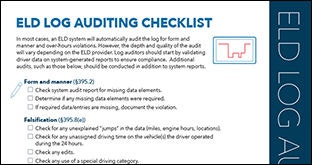
Log Auditing Checklist
No matter what type of record of duty status method your drivers use, you should periodically conduct manual audits of logs.
Book a Demo
Our specialists are available to show you how Encompass can support your fleet. Choose a time that works for you!
Thank You!
A J. J. Keller representative will contact you soon, or you can contact us at 855-693-5338.
Error
We're sorry, there was an issue in submitting the form. Please refresh the page and resubmit your information.
Or, contact us at 855-693-5338 and we'd be happy to help.